
-
eCommerce Expo
As part of my ongoing work with the Okta events team I shot down to London to present Customers in the Crosshairs at the eCommerce Expo. While I was only there briefly it was a very different event to our normal security focused shows and we had some really good conversations after my talk.
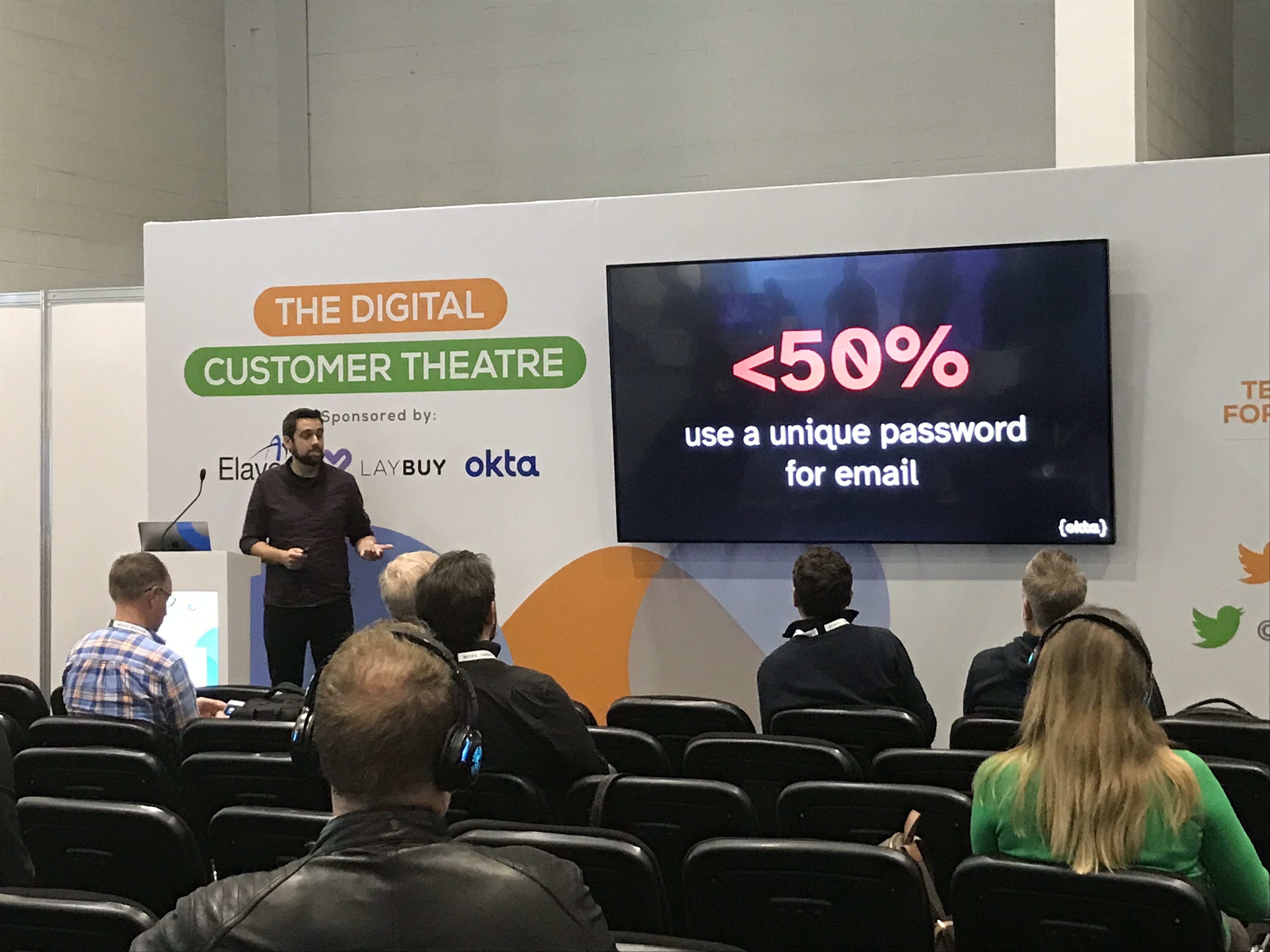
Presenting: Customers in the Crosshairs
Abstract: As users now expect more from the organisations they interact with online managing the identity of your customers is becoming much more complex. Password dumps, multiple devices and poor MFA adoption put pressure on security and development teams. All the time your competition is waiting in the wings to offer an alternative if your offering doesn’t meet the customer’s expectations.
-
PMF Connect
I had the opportunity to present to the Product Management Festival audience on achieving the frictionless customer experience. The recording is available on YouTube below
Presenting: Customers in the Crosshairs
Abstract: As users now expect more from the organisations they interact with online managing the identity of your customers is becoming much more complex. Password dumps, multiple devices and poor MFA adoption put pressure on security and development teams. All the time your competition is waiting in the wings to offer an alternative if your offering doesn’t meet the customer’s expectations.
-
DTX22
Conference season is now underway and it was really good to be back out in person this last week at DTX Manchester. Thank you to all of you who came along and said hi. The Delorean “where we’re going we don’t need passwords” stickers seemed to be a hit.
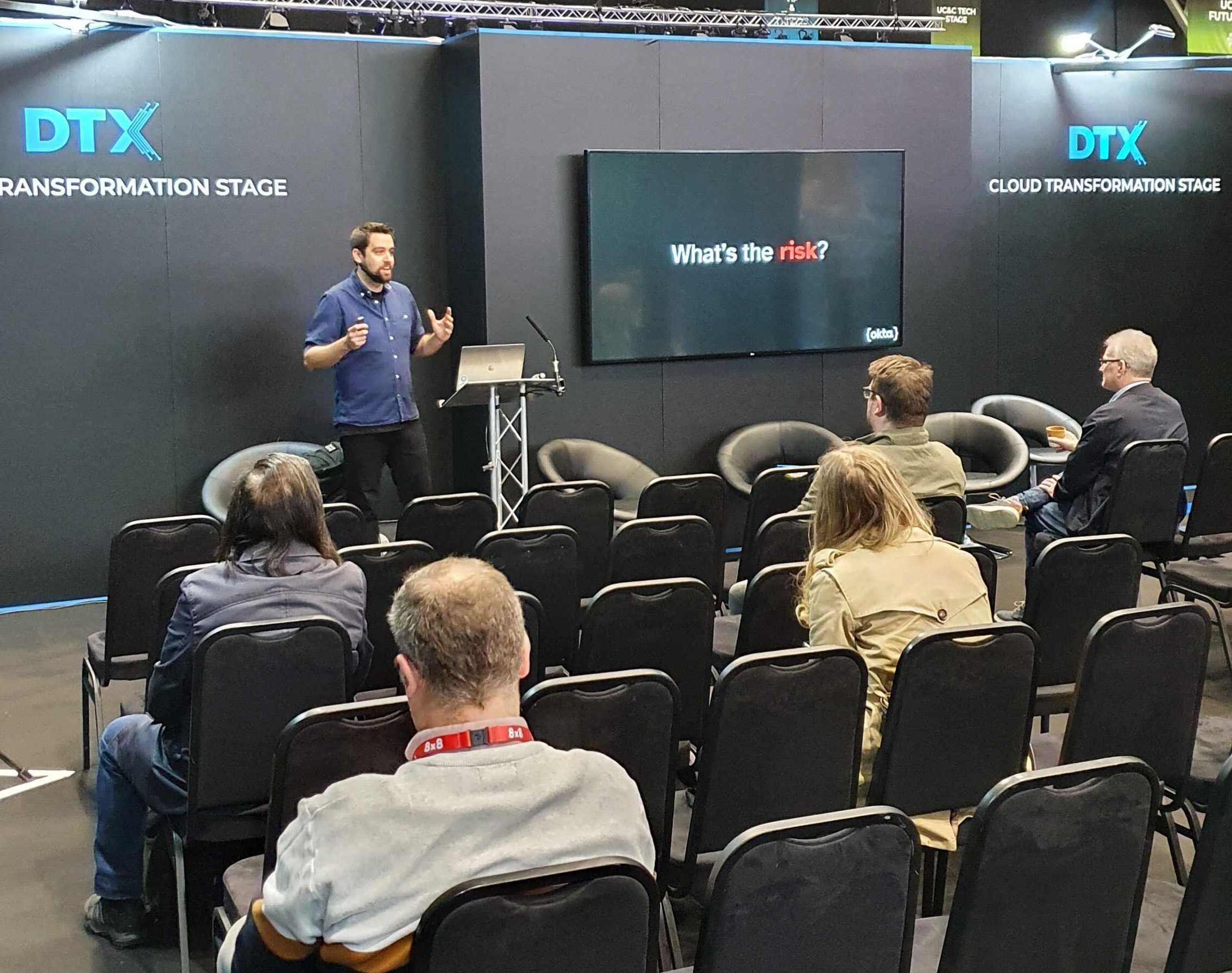
Presenting: Customers in the Crosshairs
Abstract: As users now expect more from the organisations they interact with online managing the identity of your customers is becoming much more complex. Password dumps, multiple devices and poor MFA adoption put pressure on security and development teams. All the time your competition is waiting in the wings to offer an alternative if your offering doesn’t meet the customer’s expectations.
-
DevSecCon
It was an absolute pleasure to join Waleed to present the refreshed Identity at Code to DevSecCon London. The recording is available on YouTube below
Presenting: Identity as Code
Abstract: Users now have more complex identities than ever before; federated accounts, second-factor authentication, and multiple devices all these conditions need to be tested, but how? This talk will examine the minefield of identity and authentication in your pipeline and how your team can traverse this to ensure that you are managing identity as an architectural component without resorting to manual steps.
-
IDC Future of work
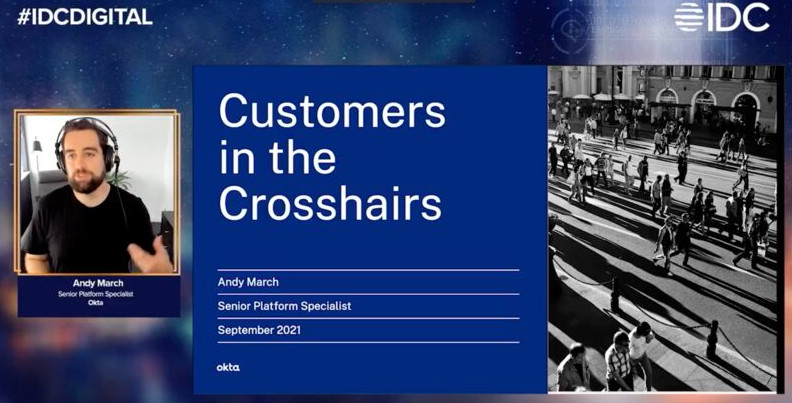
Presenting: Customers in the Crosshairs
Abstract: As users now expect more from the organisations they interact with online managing the identity of your customers is becoming much more complex. Password dumps, multiple devices and poor MFA adoption put pressure on security and development teams. All the time your competition is waiting in the wings to offer an alternative if your offering doesn’t meet the customer’s expectations.
Join Andy in a session where he discusses the threats to your customers, the impact those threats can have on your organisation and how to build a customer identity which not only protects your customers but provides a better user experience.
-
Paternity & Working Four Day Weeks
There has been a lot of articles recently on how the pandemic has changed our working habits; flexi-work, dynamic-work, remote-first, new-normal choose your descriptor. I think that we are going to fundamentally change how knowledge workers view going to work. Many people have proposed that our changing work environment means should reevaluate if the expected five-day working week is still successful or if our new flexibility should even include changing the days we work. Studies have tried to quantify the impact that a four-day working week has on productivity and society at large. I’m not qualified to weigh in on that but have worked fully remote four days a week for the last year and this is what I’ve learnt.
In September last year, my wife and I welcomed our second daughter into the world. I’m very fortunate to work for an organisation with an incredible parental leave policy and we’re given 18 weeks to spend with our new baby. Reading the policy I saw that this didn’t need to be taken in one block but could actually be spread throughout the year after their birth. So with my manager’s and the people team’s blessing, I shifted my working week to Monday to Thursday. My role is customer-facing so I’m working both with our internal teams as well as our customers which meant that I ended up explaining why I was not going to be available a lot. In a nice sping one of our managers stopped referring to me being unavailable as paternity leave but simply as “Andy does family Fridays”. It was perfect, people understood that I would not be available and I got out of the curious conversation of why my paternity leave was one day.
Now as Scott Hanselman has pointed out that quarantine work !== remote work there are very different pressures and priorities on someone working remotely than someone working remotely during the pandemic. In much the same way the first part of my four-day week year was a blur of sleepless nights, midday nap breaks, and kid’s activities. How you use that extra day available to you will massively impact how you perceive a four-day week. Do you have a project to do? Somewhere to go? As we crept out of lockdown and my daughter was able to do more we’ve been using our Fridays as a chance to do family trips to the zoo and the beach. These days have been a great chance to squeeze extra things in that we have been unable to do over the last year and a half.
Lessons Learnt
Being an individual contributor shifting my working pattern had an impact on the teams and customers I interacted with. The following points are patterns I’ve tried to apply with mixed success throughout the year.
Communicate
Set expectations and stick to them. Tell people when you are and are not going to be available. I think above all else this is the most important take away from this year and being remote in general, over-communicate. By making sure that the people I’m working with have a clear understanding of what they can expect from me and when has made the entire process infinitely easier. There is nothing worse than waiting for an action from someone and when it does arrive it is not what you needed.
When you are gone be gone
This one I struggled with, email, Slack, mobile phone it’s far too easy to be sucked back into work when you’re interested in what is going on. We run GSuite so I found that email push was an immense distraction on Fridays or evenings. Sadly on Android, there is no way to set a push notification policy for just my work account. However, I did find Quiet for Gmail which will enable/disable the synchronization on a custom schedule and this has been revolutionary for me. I made a few exceptions to this rule when there was something that needed to happen on a Friday I made sure that I could attend. After all, it is flexible working, that flexibility goes both ways.
Asynchronous Tooling
Being on a different schedule to both the rest of the teams I work with and my customers means that I often missed things that happened at set times when I was not working. Tooling is coming to the fore here but it needs to be lead by organisations that adopt it and make space for it in their work. Scheduled broadcast meetings were a big one for me, there are a bunch of calls that happen every Friday, while I didn’t make a single one of these synchronously in the last year I read each agenda and watched each part that might be relevant on the shared recording. I never felt I missed any of the content and was able to follow up with people as easily if I’d attended synchronously. Drawing the line between tasks which need everyone to be in the same place at the same time to collaborate and those that which do not is vital. Once you know if you need everyone at once or not you can pick the best tool for the job. The examples below I’ve borrowed from a presentation given internally by Kate Lister on the future of dynamic work:
Synchronous tasks: 1 to 1s, complex problem solving, sensitive conversations, social events. Synchronous communication channels: video conference, telephone, instant messaging
Asynchronous tasks: 1 to many, announcements, status updates, collaborative writing. Asynchronous communication channels: email, recorded meetings, collaborative documents
Pre-planning
Reducing my available working time by a fifth means I spent fewer total hours dedicated to work but it didn’t mean my output had to drop by the same amount. One of the things I was most careful of was pre-planning my time to prioritize the things that mattered most. What does tomorrow look like? What are the targets for the week? Next week? Having a clear picture of what time I had available and setting clear goals and time boxes to achieve them was invaluable. This clear plan of what I’m working on is available in my shared calendar, anyone I was working with could easily grab free slots with me. If something came up last minute that required immediate action a quick shuffle of those blocks of time made room to accommodate last-minute tasks.
Moving back to the five day week
As my daughter turns one I’ll return to the five-day working week, will I miss my family Fridays? Absolutely. I’m very lucky to have been able to spend so much extra time with my family this year. Having the flexibility to spread my paternity leave through the year meant I was able to strike a better work life balance and enjoy both sides all the more. Four-day weeks have changed how I view work. Moving more tasks towards asynchronous behaviour and better pre-planning allowed me to make better choices about what is important to do with the time I had available and what impact I want to have. Neither of these actions require the drastic change of moving to a four day working week and are without doubt the biggest force multiplier I have yet found.
-
Oktane21
Oktane is Okta’s annual customer event normally held in person is San Fransico but the last couple of year obviously has been online. In 2020 is was a last minute pivot to online and still managed to deliver a fantastic event. This year the team has had much longer to prepare and has outdone themselves.
I was lucky enough to be asked to speak alongside two of my US colleagues and our customer Crate and Barrel. The recordings from all the sessions at Oktane are now being posted to YouTube and really recommend checking out some of the big things we have coming for this year.
Presenting: Captivate Your Target Audience with an All-Around Customer Identity Experience
Abstract: Great customer experiences are no longer just nice to have, they’re a key differentiator between you and your competitors. Consumers seek brands that share characteristic attributes or values that they identify with, and they value connections with brands that give them opportunities for self growth. To build that connection with your consumers, achieving a true 360-degree view of your users requires a digital identity platform that tracks all of their interactions online and offline. And your customers also care about security, and your business’s reputation relies on keeping your customers’ personal data secure. Okta’s CIAM solutions allow you to know who your customers are, and enable you to create engaging experiences, while ensuring a secure, seamless and straightforward customer experience for them, at all touch points along the customer journey.
-
On being a leading engineer
I would rather be an engineer who is a manager, rather than a managing engineer, or an office manager, or C-something. I actually enjoy doing the work.
-
Cloudworks Norway
Okta’s partner, Cloudworks Norway, have been running a fantastic series of webinars for their customers to bring in vendor speakers to dive deep on specific technologies. Arne and Alexander from Cloudworks invited me to speak with them on the changes we are seeing in CIAM.
Abstract: Together with Andy March, senior platform specialist at Okta, IAM architect Arne Vedø-Hansen at Cloudworks will talk about how a Customer Identity and Access Management solution (CIAM) enables your company to offer such a registration and login solution for your customers. .
-
Moving from WordPress
A little while back I migrated this site from a full blown WordPress instance over onto Jekyll hosted on GitHub pages.
As a whole the process was fairly easy. This post is largely just a test of making a post using GitHub’s mobile experience to make up for the lack of CMS.
-
API Days Helsinki - Virtual Conference
A slightly different speaking experiance as the world tries to contiue during COVID. I swapped Helsinki for my home office to provide content for the first virtual API Days event. The on-site conference has been re-scheduleded for September (which sadly I can’t attend). Prerecording the talk to an audience of one was odd but it did make it easier to respond to any questions in the chat during the talk.
Presenting: Identity as Code
Abstract: Users now have more complex identities than ever before; federated accounts, second-factor authentication, and multiple devices all these conditions need to be tested, but how? This talk will examine the minefield of identity and authentication in your pipeline and how your team can traverse this to ensure that you are testing all the conditions without resorting to manual steps.
-
RT @mraible: 11 security patterns for microservice architectures - all in one handy guide!
🏛 https://t.co/WGjVjsFaxv
Huge thanks to @crichardson and @rob_winch for reviewing and providing detailed feedback. 🙏
#microservices #architecture #security #securitypatterns
-
That moment when you run through a forgotten password flow and not only are you emailed the plaintext password but its the first x characters of the value in your password manager #facepalm
-
After getting snowed out last year I needed to have another go at getting this photo and the sunrise didn't disappoint

View on Instagram https://ift.tt/38FspDN
-
I'm back in Vegas, but the mountains beyond are calling...

View on Instagram https://ift.tt/38z6Gx1
-
Probably the most common query I get with @okta is how to manage change between different environments. Configuration as code, identity should be treated the same as any other component of your application. https://t.co/osXTm3J6jJ
-
Instagram

Difficult mornings are made easier with sunrises
-
API Days – Paris
Presenting: Customers in the Crosshairs
Abstract: As users now expect more from the organisations they interact with online managing the identity of your customers is becoming much more complex. Password dumps, multiple devices and poor MFA adoption put pressure on security and development teams. All the time your competition is waiting in the wings to offer an alternative if your offering doesn’t meet the customer’s expectations.
-
API Days - Paris - OAuth by Example Workshop
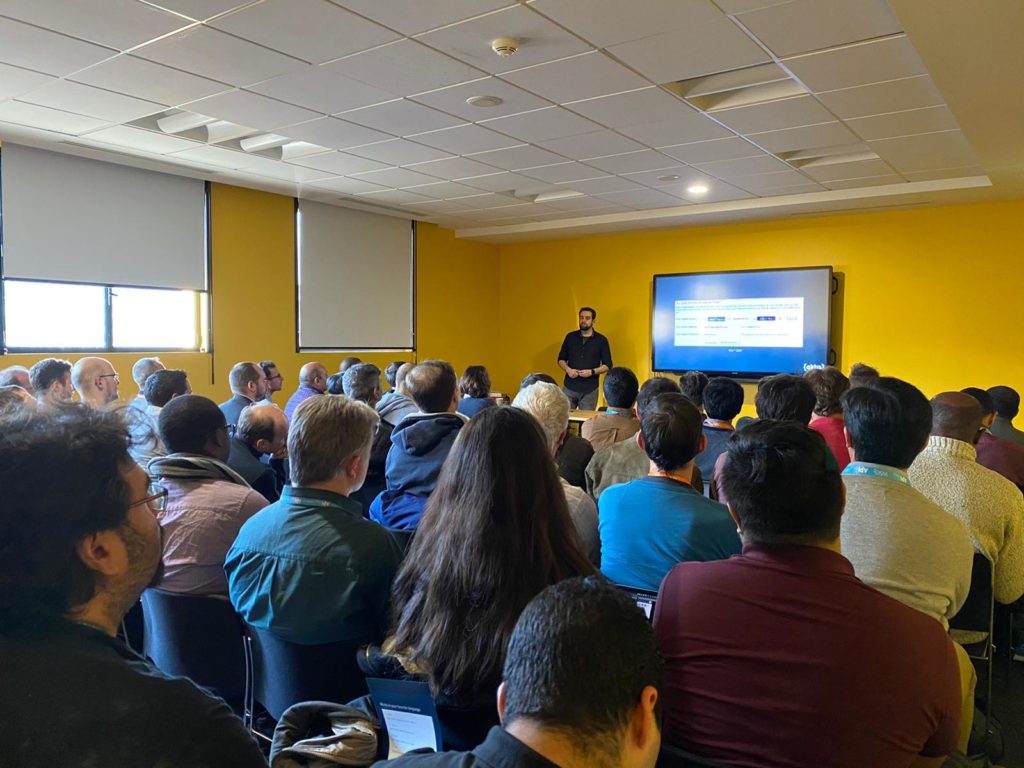
Presenting: OAuth by Example Workshop
Abstract: Authentication and authorization has come a long way in the last ten years. Are you still rolling your own identity? Don’t know the differences between the authorization code grant from and the client credentials grant? Do you want to accept social authentication to your service but you’re not sure how?
Join Andy March as we review OAuth and OIDC, their history, the problems they solve and how you can apply them to your services. This workshop will guide you through configuring Okta as an identity provider, deploying a simple web app enforcing authentication and authorization.
-
I’m excited to be speaking at #APIDaysParis next week. Join me for our ‘OAuth by Example’ workshop on Monday as well as the CIAM focused ‘Customers in the Crosshairs’ on Tuesday.
-
Instagram

At the going down of the sun and in the morning #wewillrememberthem
-
Instagram

One of the many reasons I love working remotely #cats_of_instagram
-
Instagram

I had time for a quick walk around SF this morning, every day is better when you catch the sunrise
-
Awesome summary on why blindly adopting agile practices doesn’t actually help your developers.
“Go async and kill your standups. They’re pointless anyway.” - @_mttyng
https://t.co/3LSayjJfeP
-
eCrime Congress Abu Dhabi
Presenting: Customers in the Crosshairs
Abstract: As users now expect more from the organisations they interact with online managing the identity of your customers is becoming much more complex. Password dumps, multiple devices and poor MFA adoption put pressure on security and development teams. All the time your competition is waiting in the wings to offer an alternative if your offering doesn’t meet the customer’s expectations.
-

In Abu Dhabi and Dubai this week for eCrime congress
-
Paris Identity Labs
Presenting: Identity as Code
Abstract: Users now have more complex identities than ever before; federated accounts, second-factor authentication, and multiple devices all these conditions need to be tested, but how? This talk will examine the minefield of identity and authentication in your pipeline and how your team can traverse this to ensure that you are testing all the conditions without resorting to manual steps.
Presenting: TLDR: OAuth
Abstract: An introduction to modern web authentication and authorization and how we got here and the road bumps along the way.
-
Instagram

A quick stop here on a walk through Paris today. Definitely my favourite part of work travel is some of the things I find when I’m not really looking for them.
-
Instagram

Dundee in the morning sunshine on approach
-
Instagram

It’s been a long day of driving but I had to stop on the way home to catch this stunner of a sunset.
-
Instagram

Day 2 at this stunning venue for the National DevOps Conference
-
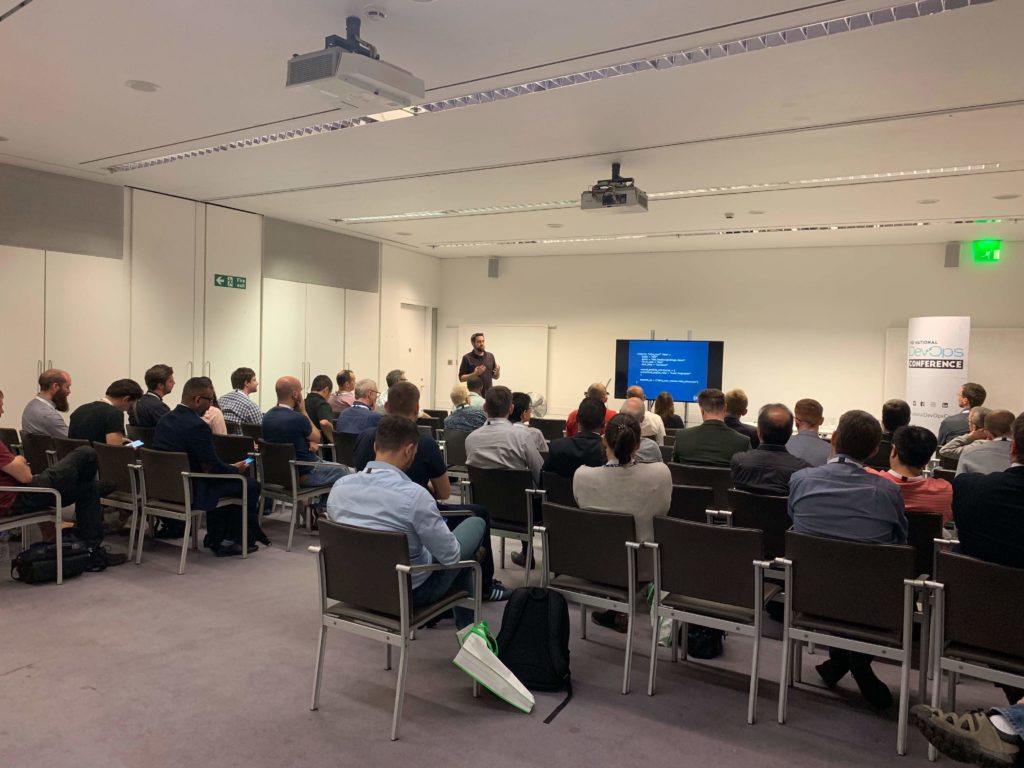
National DevOps Conference
Presenting: Identity as Code
Abstract: Users now have more complex identities than ever before; federated accounts, second-factor authentication, and multiple devices all these conditions need to be tested, but how? This talk will examine the minefield of identity and authentication in your pipeline and how your team can traverse this to ensure that you are testing all the conditions without resorting to manual steps.
-
Thank you to everyone who came to my talk at #nationaldevopsconf today. If you missed it don’t worry as I have been asked to repeat this session tomorrow. https://t.co/vP55BOIaSp
-
Heading to #nationaldevopsconf today, if you are attending come to see my talk on testing user identity at 11.30 to learn about handling users in your deployment pipeline
-
Instagram

Sometimes you get bored of cities and need to find some ‘landscapes under glass’
-
Instagram

Nice finish to my first trip to Seattle, chilled afternoon working in the sun beside a sparkling lake Washington.
-
Instagram

Went to see the moon today in one of my favourite buildings #elysciencefestival
-
Nuxt.js and Developer Relations
I’m proud to say my first article was recently published over at developer.okta.com guiding you through the process of creating a universal javascript applications with Nuxt.js.
You can check out the full article here.
While I’ve written technical material here in the past its been largely to get it out of my own head. So it was really interesting to be guided through the editing and review process by Okta’s awesome devrel team.
https://twitter.com/mraible/status/1074679374417399808
-
Instagram

Unexpected Orwell in Southwold
-
Excited to be heading down to #AWSSummitLondon today. Come and discuss better digital identity at the @okta booth S12.
-
Happy to say my first article for @oktadev has gone live. Bit of weekend homework for you all 😁 https://t.co/KdKnr7BAbK
-
This week can be summed up as planes, trains and automobiles

via Instagram
-
Not the best morning to try for a sunrise photo

via Instagram
-
That post Christmas slump

via Instagram
-
Looking good San Francisco

via Instagram
-
Covered 25 miles across San Francisco this weekend and found this awesome spot to watch the sun go down.

via Instagram
-
Sometimes jet lag has its advantages, caught the sunrise today

via Instagram
-
Autumn may be here but the garden is still going strong

via Instagram
-
Spent my morning editing photos from a recent trip

via Instagram
-
Went to check out the life of the brick exhibit in Ottawa today. This had the caption "sometimes a mind that wanders is not a bad thing"

via Instagram
-
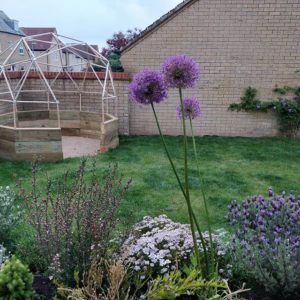
So that took a little longer than planned. Over a year after I brought the kit to do it my dome is finally finished....except the paving....and the planting. #domedone
via Instagram
-
Spring has arrived when the Alliums are out

via Instagram
-
Release Cycles - get on the bus
I’ve spent a lot of time recently looking at how to manage multiple supported code streams. One key question we’ve been discussing is how frequently do you patch a product depending on where in its lifecycle it is? One of the positions was that this discussion has to happen on an ad-hoc basis so that a release is made when sufficient changes have occurred to constitute a patch or an urgent release is needed. While this makes sense for products approaching end of life when changes are few and necessitated by the requests of existing customers, however patching this way for products under active development or even maintenance leads to problems with resource scheduling and awareness.
The solution to this is the release bus. The bus has a fixed cadence, once release per year/half/quarter/month (based on your release tolerance) any fix that is ready to go when that bus is scheduled to released with that bus and anything else must wait for the next one. Buses are easy to schedule, (should) run on time and everyone knows when the bus is going. This sounds fantastic in theory but there will always be an expected change that just needs to be released now, so what gets there faster than the bus? The release taxi, you can go where you want, when you want but it costs more and if we’re paying you will be asked why.
By splitting the patch releases into these two categories its easier to classify scheduled maintenance from one-off changes. If you start to see too many release taxis questions can be made raised as to why these changes are not making it onto the schedule.
-
Time spent with cats is never wasted

via Instagram http://ift.tt/2FRvEcT
-
On readable software
There is a great post circulating this week on the definition of readable code and one quote really stuck out at me:
All software gets developed under time, budget, management, requirements, and skill constraints that prevent doing anything perfectly. We should keep those constraints and limits in mind when we look at code and immediately conclude the code resists understanding, or that only fools would have produced such software.
Having moved teams internally I’m in the unusual position of being the ‘fool’ who wrote the software someone else needs to maintain and still being around to explain why it is the way that it is. This has reminded me that when reading a codebase you often only have part of the context and when you are writing how important it is to document your decisions.
-
Nice little summer walk this morning

via Instagram http://ift.tt/2tLIgLO
-
There's always time for a walk in the woods

via Instagram http://ift.tt/2pU6eXg
-
Well earned brewdog after shifting 1.7 tonnes of soil #bankholidayweekend

via Instagram http://ift.tt/2p3eLHu
-
Blank Slates
This New Year, I wish you more blank slates. May you have more blank white pages sitting in front you with your favorite pen nearby and at the ready. May you have blank screens in your code editor with your absolutely favorite color syntax highlighting. May your garage work table be empty save for a single large piece of reclaimed redwood and a saw. - The Builder’s High
-
Sunny riverside walk in the fens today #getoutside

via Instagram http://ift.tt/2htOI40
-
Ely Cathedral in the winter sun this morning

via Instagram http://ift.tt/2gR7S7Z
-
Is that email important
Best email footer ever? From Protest:
*******************************************************
Disclaimer:IMPORTANT - In the time it took you to read this email, you could have been out the door and on your way to the slopes or the beach. The good news is, it’s not too late. Slowly shut your computer off. Act like you head toward the restroom. Then make a break for the door. If you don’t look back, the obstacles will never stand a chance. See you out there.
*******************************************************
-
NDC London 2016
Once again in January I headed to the Excel centre in London to attend NDC. NDC (the conference formally known as Norweign Developers Conference) has been my conference of choice for the last few years, I feel it provides a great mix of technical and soft skills sessions, great networking and the best conference food going.
The conference organisers go to the fantastic effort of recording every presentation and making these freely available on Vimeo. So below is my list of attended sessions and the links to the recordings, I’ll try to update these as the videos come up. In my list below are a few sessions I missed in person but heard good things about or spotted on the talk rating board (yes, there is a board in the vendor hall showing the best rated talks).
Wednesday
Keynote: Javascript, The Cloud, and the Rise of the New Virtual Machine - Scott Hanselman Video Outline IoT and Cortana Analytics - a winning combination - Chris Hewitt Outline Pragmatic development at Stack Overflow - Marco Cecconi Outline A system is not a tree - Kevlin Henney Outline How to deal with culture divide - Internal Advocacy with Distributed Teams - Laura Czajkowski Outline
Shall I Compare Thee to a Line of Code - Lauren Scott Outline Analyzing GitHub commits with R - Barbara Fusinska Outline Autonomy, Connection and Excellence: The Building Blocks of a Knowledge Work Culture - Michael “Doc” Norton Outline Ship it! How to do what not to do - Ed Blackburn Outline Introduction to IdentityServer - Brock Allen Video Outline Learn. Reflect. Repeat - Melinda Seckington Outline Acceptance Testing for Continuous Delivery- Dave Farley Outline
Thursday
Test Automation without a headache: Five key patterns - Gojko Adzic Video Outline 50 Shades of AppSec - Troy Hunt Video Outline Testing with No Harm - Enrico Campidoglio Video Outline Don’t Make Me Feel Stupid - A. User - Liam Westley Outline The Quest for the Next Evolution of Infrastructure Management - Paul Stack Outline Cryptography in .NET - Stephen Haunts Outline .NET Rocks Live (containers and microservices) Video Outline
Friday
What’s next? How we use feedback to decide what to build - David Simner Outline 5 Anti-Patterns in designing APIs - Ali Kheyrollahi Outline Business Mapping: turning the lights on - Dan North Outline No excuse user research - Lily Dart Outline Beyond Features - Dan North Outline IoT: Gold Rush or Wild West - Niall Cooling Outline Making Hacking Child’s Play - Troy Hunt Video Outline Everything i know about computers, I learned from the movies - Mark Rendl Video Outline
While looking for the videos for this post I saw that the session videos from ProgramUtvikling Security Day have also started making an appearance on their channel so I’ll be making my way through those also.
-
Snoopers Charter
Yesterday saw a second defeat for the snoopers charter this time as a late set of amendments to a counter-terrorism bill. There is more detail from the EFF here and the Open Rights Group here. Yesterday’s session served as a reminder that why due process and debate is needed; while we saw points from lords with little understand of what they were trying to legislate such as Lord King we also saw solid counter argument for balance from others such as Baroness Lane-Fox of Soho.
While watching the back and forth on twitter during the debate the John Perry Barlow Declaration of Independence of Cyberspace crossed my mind. While the language is a little dated it’s still very relevant to the issues being discussed.
[embed]https://www.youtube.com/watch?v=3WS9DhSIWR0[/embed]
-
Where we're going, we don't need roads
One of my Christmas presents this year was the Lego kit of the DeLorean from Back to the Future (obviously because 2015 is when Marty McFly arrives in Back to the Future II). Last year when I built the Millennium Falcon I really regretted not getting a timelaspe of the build process. This year with a little preparation I did and it came out rather well.
The kit was great fun to build the manual that comes with it has a number of nice little facts, such as the time drive on the model is set for 28/01/1958 the date the LEGO brick was patented.
[embed]https://www.youtube.com/watch?v=BU59Jgc0Gh8[/embed]
-
2015 and Google Photo TakeOut
Happy New Year.
Its been a nice restful Christmas and I’ve had some time to go through and sort out lots of my photos from the last year. Since I started taking a lot more photographs I’ve been categorising them by year then into sub-folders of when and what we were doing, so for 2014 that was about twenty folders. This barely scratches the surface of the photos I take because most are actually taken with my phone. It goes everywhere with me, so from quick little things that make me laugh, to views when I wish I had a full camera, there’s probably a shot on my phone. All of those images are automatically backed up to Google Plus’ Photo service, which is great as my photographs are on all my devices and it does a nice job of auto correcting some of the limitations of a camera phone. However one thing that is seriously lacking is the ability to get those photographs back out directly from the photo service.
Google offers a TakeOut facility to let you retrieve any of the data Google holds on you. Go to google.com/settings/takeout from there you can de-select everything and pick only photos and press next to create a series of archives. I have two problems with the TakeOut download first it creates a directory for each day of uploads, so potentially that 365 subdirectories for the year. Secondly every uploaded file can be auto-edited potentially several times and each edit is included in the download. Ideally what I wanted was a single directory with just the photographs I’ve taken, PowerShell makes this kind of operation incredibly simple. A quick script later and we are down from 4 Gb to 2.5 Gb and all in one directory. I’ve uploaded the script to do this to a Gist here.
[caption id=”attachment_292” align=”aligncenter” width=”199”]
 Waverley Abbey in the setting sun[/caption]
 -
NDC London
A couple of weeks back I got the opportunity to attend NDC London organised by the team between the Norwegian Developers Conference. They’ve branded this event to “new DevelopersConference() London” as Norwegian Developers Conference obviously limits their reach a little bit (to steal a joke from @markrendle’s stand-up) . I went out to NDC Oslo last year to attend their dedicated security track and was really impressed by the quality of the event and the speakers they lined up so once the registration opened for their London event this year I knew I wanted to attend as much as I could.
Like any conference there are the fantastic talks and the ones where you wonder if you’ve walked into the wrong room. Probably my favourite talk from this years event was Coding Culture by Sven Peters, talking about what makes great engineering team and how to inject enthusiasm and passion into development. His slides and a recording of this talk are here, if you can only watch one this is it.
A few of the other highlights for me were:
- Jon Skeet demonstrating the scary amount he knows about the Hebrew calendar and confirming date and time is still a pain in the neck. link
- “Code is like humour, if you have to explain it it’s bad”. A crowd driven refactoring session with Cory House. link
- “SAML is the Windows XP of online identity”. Dominick Baier talking about OpenID Connect. link
- Reviewing a year of security howlers and CSI Cyber with Niall Merrigan. link
- Learning how to count potatoes with drones and how machine learning can optimize farming with Gary Short. link
- If you are doing exactly what your IDE tells you which of you is writing the code? Along with other pause for thought moments with Kevlin Henney. link
- “Does your home audio set-up really need an external IP address? Who is adjusting their speakers on the bus?” Looking at the “Fragile Internet of Things” with Erlend Oftedal and Einar Otto Stangvik. link
Videos of all the talks are already available to attendees here and will apparently be made public some time early in the new year.
-
Salisbury Cathedral
Went down to Somerset for a short break last weekend, on the way back we stopped in at Salisbury as we seem to be rapidly working our way round the cathedrals of England (this was the second of the weekend).
Caught a nice bit of setting winter sun through the branches of this tree in the cloisters, I wasn’t thrilled with the shot when I took it but have managed to clean it up quite a bit with Lightroom to the point I think its one of my favourite recent photographs.
[caption id=”attachment_272” align=”aligncenter” width=”300”]
 The sun in the cloister[/caption]
 -
Moving Git
I’ve been spending some time over the last month or so migrating our git server at work. Our old environment was starting to show the signs of age and just was not suited to having multiple developers checking in on several large projects at a time meaning we frequently ran into file permissions problems needing one of the team to ssh to the server a manually chmod the directory.
There are a lot of alternatives out there for git hosting including GitLab, Bonobo, Stash and the 800 pound guerilla of GitHub enterprise. In the end Stash from Atlassian won out, on premise hosting, great Jira integration and finally low license cost for small teams (which is in fact a donation to Room to Read).
Now we have a shiny new server all set up and running how best to migrate all our existing repositories over without losing history, tags, branches or living in a half and half state while we do so? One of the nicest things about distributed version control systems like git is that this process is much simplier than with large centralised version control systems of old, below are a couple of scripts for making this easier still.
Moving to a New Remote
The sequence below will check out everything from your existing repository and check it into your new server of choice.
Checkout your existing repository:
git clone
Lets get all the branches (I can’t remember where I acquired this branch script from but whoever devised it I owe you a drink):
#!/bin/bash
for branch in `git branch -a | grep remotes | grep -v HEAD | grep -v master `; do
git branch –track ${branch#remotes/origin/} $branch
done
Remove existing remote origin so we have a fall back if all goes wrong:
git remote rm origin
Create your new remote repository on the server, then its time point your local copy to the remote:
git remote set-url origin
Push that data to your remote:
git push origin –all
Splitting a Repository
Now we’ve moved our repositories around we decided it was time for a bit of house keeping. For a reason no-one could remember we had a repository with two codebases in the root. While these two projects are related this decision has caused us repeated problems requiring dubious workarounds in our build scripts to handle this double root. We needed a way to split this directory into two repositories but again without losing and of the history, tags or branches.
Checkout the existing repository:
git clone
Lets get all the branches by running the script again:
#!/bin/bash
for branch in `git branch -a | grep remotes | grep -v HEAD | grep -v master `; do
git branch –track ${branch#remotes/origin/} $branch
done
Remove existing remote origin so we have a fall back if all goes wrong:
git remote rm origin
Now we want to split one directory out and make it the root of our new repository:
git filter-branch –subdirectory-filter
--tag-name-filter cat -- --all Create a new remote repository for us to push into and add it to our local repository:
git remote add origin
Finally push the repository up to the new origin:
git push origin –all
I hope these are useful to someone, I might get round to building these up into complete scripts at some point.
-
Getting back behind the gun
The other weekend a few old friends invited me down to our local paintball field, Campaign, to spend the day training with them. It was awesome to see the guys again and play some nice relaxed paintball. The new field Tony and his guys have built is truly impressive. For a few points we strapped the GoPro on to see how well it worked strapped to the barrel, other than showing just how much I need to practice the footage came out quite well.
https://www.youtube.com/watch?v=pIwnkaUTFs0
https://www.youtube.com/watch?v=kPFlAlvRB44
-
Site Refresh
For the last month or so I have been playing with WordPress themes and bootstrap with the intent of finally replacing the slightly tweaked standard theme that I’ve been running for the last four years or so. It’s finally at a point where I am happy to leave it up permanently, there is definitely a couple of bits I need to tweak but as a whole I’m happy with how it has turned out. Bootstrap made working with dynamic re-sizing an absolute breeze, go on scale it up and down a couple of times.
The image above is just a part of one my favorite photographs. I took this at Reculver in Kent at sunset with my Sony NEX5. On the to-do list is a better photo plug-in so I can post a few more of these photos until I get that sorted here is a link to the full image.
[caption id=”attachment_215” align=”aligncenter” width=”300”]
 Reculver at sunset[/caption]
If you fancy having a look around the theme code it’s all on GitHub.
-
Fixing C++ project load failure in Visual Studio 2012 Update 1
Visual Studio 2012 marks a change in cycle for the development tools team as they are changing pace to incorporate regular updates to the product rather than the big bang of a new release every couple of years. Update 1 came out back in November (read more about that here) and I had been running it in the RC without issue. However with my fresh install of Express I had forgotten this update, launching VS this morning to make a couple of changes I saw the update available reminder. Couple of quick clicks later the download is on its way. Code change done I fired off the update and all seems fine, progress bars, coffee, reboot. Reopen Visual Studio, open solution, none of the projects will load on hitting reload for a single project and you are greeted with an alert with the text:
The composition produced a single composition error. The root cause is provided below. Review the CompositionException.Errors property for more detailed information.
1) No exports were found that match the constraint: ContractName Microsoft.VisualStudio.Shell.Interop.IVsHierarchy RequiredTypeIdentity Microsoft.VisualStudio.Shell.Interop.IVsHierarchy RequiredCreationPolicy Shared
Resulting in: Cannot set import ‘Microsoft.VisualStudio.Project.VS.Implementation.VSUnconfiguredProjectIntegrationService.IVsHierarchy (ContractName=”Microsoft.VisualStudio.Shell.Interop.IVsHierarchy”)’ on part ‘Microsoft.VisualStudio.Project.VS.Implementation.VSUnconfiguredProjectIntegrationService’.
Element: Microsoft.VisualStudio.Project.VS.Implementation.VSUnconfiguredProjectIntegrationService.IVsHierarchy (ContractName=”Microsoft.VisualStudio.Shell.Interop.IVsHierarchy”) –> Microsoft.VisualStudio.Project.VS.Implementation.VSUnconfiguredProjectIntegrationService
Resulting in: Cannot get export ‘Microsoft.VisualStudio.Project.VS.Implementation.VSUnconfiguredProjectIntegrationService (ContractName=”Microsoft.VisualStudio.Project.Designers.IVsUnconfiguredProjectIntegrationService”)’ from part ‘Microsoft.VisualStudio.Project.VS.Implementation.VSUnconfiguredProjectIntegrationService’.
Element: Microsoft.VisualStudio.Project.VS.Implementation.VSUnconfiguredProjectIntegrationService (ContractName=”Microsoft.VisualStudio.Project.Designers.IVsUnconfiguredProjectIntegrationService”) –> CachedAssemblyCatalog
Resulting in: Cannot set import ‘Microsoft.VisualStudio.Project.UnconfiguredProjectServices.vsUnconfiguredProjectIntegrationService (ContractName=”Microsoft.VisualStudio.Project.Designers.IVsUnconfiguredProjectIntegrationService”)’ on part ‘Microsoft.VisualStudio.Project.UnconfiguredProjectServices’.
Element: Microsoft.VisualStudio.Project.UnconfiguredProjectServices.vsUnconfiguredProjectIntegrationService (ContractName=”Microsoft.VisualStudio.Project.Designers.IVsUnconfiguredProjectIntegrationService”) –> Microsoft.VisualStudio.Project.UnconfiguredProjectServices
Resulting in: Cannot get export ‘Microsoft.VisualStudio.Project.UnconfiguredProjectServices (ContractName=”Microsoft.VisualStudio.Project.IUnconfiguredProjectServices”)’ from part ‘Microsoft.VisualStudio.Project.UnconfiguredProjectServices’.
Element: Microsoft.VisualStudio.Project.UnconfiguredProjectServices (ContractName=”Microsoft.VisualStudio.Project.IUnconfiguredProjectServices”) –> CachedAssemblyCatalog
That’s one very large dialog with just the less than helpful OK button. Visual Studio does occasionally glitch out but its been a while since I’ve seen one quite so spectacular and consistent. A quick search for the issue above yields pages and pages of connect.microsoft.com reports of people facing the exact same issue, always with C++ projects always after update 1.
Visual Studio 2012 update 1 ctp 3 install has destroyed ability to load or create any project
Error on creating C class library in VS 2012 for desktop
Error when creating C class library project
So I’m not alone that’s always a good start, less good is that all are closed and none contain any answers. At this point I thought I’d check for more updates in Visual Studio, no joy automatic update checking is on but no update. Okay how about a repair? More progress bars, more coffee and another reboot later still the same error. Digging through the bug reports I found one report of user with a fix, wipe and reinstall OS.
After spending the best part of an hour searching, repairing and patching, Windows update kicked in on our schedule and prompted to check for yet more updates. Sitting right at the top of the list was KB2781514. Now that looks a little more helpful than a disk format.

The additional information doesn’t hint at a cause or even mention the issue shown in the short description above, instead it only states that it improves the stability of Visual Studio. With the patch applied normality is restored and projects once more load successfully.
It seems an unusual choice to offer the update pack of software via one mechanism but to offer patches by a different approach, especially one which may be tightly controlled within a corporate environment. It is a shame the sheer volume of reports on connect.microsoft.com prevent them from updating the report with the resolution when a cause has been found.
-
Absorbing books
I love reading. It’s that simple, I enjoy losing myself in a story or absorbing the experiences of someone else. However this year has been manic, between work, travel and restoring my new house I haven’t had many opportunities to just sit and read. However I realised the other day I have probably read more this last year than I have since I finished university. However the key to this is not always carving out time to dedicate to reading (though as I’m enjoying a week off as I write this I have grabbed a few hours of sitting with coffee and a book) it has been a change in how I absorb books. I’m using absorb in place of reading as not all my ‘reading’ has been purely looking at printed text.
I was lucky enough to be given a Kindle for Christmas last year and I have to say this has been the catalyst for the biggest change I have noticed. Reading has ceased to be purely a evening task I now grab a few pages at every chance I get. Between my actual Kindle device and my phone I always have the chance to slip in a couple of pages while I’m waiting for something. I have no more idle time, except when I actually want idle time. I recently travelled a week for work only to realise about as I stepped on the train my Kindle was sitting on my desk, never-mind whip out the phone synch my last read location and keep going. That week I finished an entire book on my phone as I was reading for a couple hours each night. Admittedly it wasn’t the greatest reading experience I much prefer the e-ink display of the Kindle, but I enjoyed a couple of hours each evening that would have otherwise been spent idly surfing the web or watching TV.
Earlier this year Audible finally released their long rumoured (and much delayed) Window Phone application, this had been the kick I’d been waiting for to resume my Audible membership. I’m on the basic tier, one audio book per month this covers pretty much any title in their collection. Audible is perfect for reading when you can absorb information but can’t sit and read a physical book. I used this on a recent trip where I did multiple six hour long drives, that’s a lot of reading time and it certainly beats listening to the radio or CDs. I think by the end of the project I’d listened to the entirety of Mud, Sweat and Tears by Bear Grylls and Every Second Counts by Lance Armstrong not a bad recovery of otherwise lost time. But my key use for Audible has been while working on my house, I don’t think it’s actually possible for me to paint without an audio book now. This has now resulted in an Audible purchase being as essential to a day spent painting as brushes and dust sheets.There a still a handful of books that I still enjoy reading in paperback, these are mainly for the collection value. For example the Discworld series by Terry Pratchett, I have read just about everyone of these as physical books over the last few years and they are starting to look like a rather impressive set on my bookcase. I can’t bring myself to admit that halfway through I stopped and switched to ebooks it would ruin something of the collection aspect.
My reading list so far in 2012:
Kindle
Currently reading: Assassins Apprentice - Robin Hobb
Trojan Horse - Mark Russinovich
Cryptonomicon - Neal Stephenson
Whispers Under Ground - Ben Aaronovitch
Good Omens - Terry Pratchett & Neil Gaiman
Managing Humans - Michael Lopp
Can’t Swim, Can’t Ride, Can’t Run - Andy Holgate
Liars & Outliers - Bruce Schneier
Moon over Soho - Ben Aaronovitch
A Dance With Dragons - George R. R. Martin
Audible:
Currently listening to: A Blink of the Screen - Terry Pratchett
Ready Player One - Ernest Cline
The Hunger Games - Suzanne Collins
Planet of the Apes - Pierre Boulle
The Long Earth - Terry Pratchett, Stephen Baxter
The Invisible Man - H. G. Wells
Mud, Sweat and Tears - Bear Grylls
Every Second Counts - Lance Armstrong
Physical Books:
-
PBTrainer on GitHub
I was playing with Window Phone 7 development for a proof of concept today at work which got me thinking about the PBTrainer project I wrote last year. Having a quick look on create.msdn.com told me that it is nearing the 600 download mark, not bad for an abandoned application. However there were lots of things I wasn’t happy with in v1.1; no infinite repetition sessions, poor about/versioning info and pretty ropey tombstone handling.
So having got a bit of a buzz today writing a quick app I dredged out the codebase and had a look. Ah issue number one it does not compile, looks like I was halfway through the v1.2 changes and got interrupted. Okay no issue I know what the changes I wanted to make were and making a few bug fixes would be an ideal way to get up to speed again. So lets just roll back to the v1.1 code base and start making changes. Issue number two I broke the cardinal rule, no source control. It’d only a little side project, only I will ever use it, I’ll probably rewrite most of this, all of these are fine reasons we tell ourselves not to bother with source control. Judging by the code comments and TODOs its living somewhere between v1.1 and v1.2 (probably where life intervened and cut the project short) so I’ll have to pick through the code and hope that I wrote good comments (and didn’t use the same excuse not to do those). So the first stage of the revival is complete I have corrected my mistake and committed the project to an public GitHub repository. Hopefully over the coming weeks I’ll be working my way towards v1.2 of PBTrainer, meanwhile I have learnt my lesson: whatever you’re writing source control first.
-
Olympic Twitter data mining
The London 2012 Olympics kicked off in style last night with a fantastic opening ceremony taking in the history of Britain, music and technology as well as the parade of the teams. This Olympics will be unprecedented in the amount of access the public gets to the athletes, Olympians have been sharing their training, their travel and will no doubt share their success and failure at events as well. But social media is allowing the public to be more involved than ever in spectacle events such as the Olympics, Twitter faced a heavy load last night as people tweeted their way through the opening ceremony giving an amazing back channel to the event.
But what were people talking about for the four hours? According to Twitter themselves the most talked about moment was Rowan Atkinson during Chariots of Fire. During the London riots last year I was playing with the Twitter API to see if it would be possible to extract key events from the noise of the crowd. Last night I was prompted to turn this on just to see what went by, now the algorithm it currently uses to determine key events is more than a bit flaky and requires training to an event. However what it does do very well is capture all of the messages it processes so they can be played back to train the algorithm. Last night I pulled down around 18,000 public messages from Twitter between 19:54 and 23:56 (I lost the last batch unfortunately as my machine crashed).There is bound to be a lot more traffic out there as with an API key you don’t get access to the raw twitter fire hose of tweets just whatever you can search for within your rate limit. However this gives us a good sample size to experiment with. So this morning I wrote a quick and dirty little util to run regular expression parses over these messages to find the talking points based on the key events of the night, here’s what I found:
After removing duplicates: 18670 unique messages.TeamGB: 162 messages (1.11%)
The torch & cauldron: 169 messages (1.16%)
Steve Redgrave: 34 messages (0.23%)
Paul McCartney: 177 messages (1.21%)
Bradley Wiggins: 25 messages (0.17%)
The Queen: 972 messages (6.66%)
James Bond: 401 messages (2.74 messages)
#criticalmass (protest group): 720 messages (4.93%)
Mr Bean: 318 messages (2.18%)
Lord of the rings: 131 messages (0.90%)
Unmatched by any of the above: 11870 messages
You can see by that last number there a massive amount of data still in there to be categorized. At the moment my solution for identifying events is by manually training a Bayesian filter (or as in this case picking key events from the running order), there’s a wealth of data mining tools available on the net and a range of more scalable methods to process this information. The problem is the speed at which this information needs to be processed, on Thursday night I attended a talk by Ed Parsons from Google who said big data isn’t a problem when it’s static but what we have now is a fire hose of information rushing past us. Twitter is a perfect medium for expressing what is happening right now, that is also the issue with trying to mine that data for geospatial display, it is only relevant for a short period of time.
I’ve published all the code to extract the matches onto GitHub along with the message set captured.
-
Experiences of an Windows Phone Developer
One of the main selling points to me for Windows Phone 7 was the opportunity to write mobile apps in a .NET environment. I thought I would summarize here my experiences over the last few months from signing up as a developer, writing and deploying for the first time and working with the Marketplace.
Becoming a Windows Phone developer could not be easier, the Microsoft Developer Network (MSDN) has a section solely for developers working on XBox and Windows Phone; create.msdn.com. Having signed in with a Windows Live ID, you complete the standard registration type form and wait for the slightly ominous sounding next step, Identity Validation. The name of this step is a lot more scary than it actually is, they simply require a scan of some form of official document to verify you are who are claiming to be. They claim this process could take up to a week however mine was turned around inside 24 hours, now either I’m really easy to track down or they aren’t checking into you that deeply.
One of the best things about the .NET framework is the development environment, Visual Studio is without a doubt one of the best IDEs out there for doing just about anything; desktop development, web or cloud and now mobile. If you have the full Visual Studio 2010 then you can download the Windows Phone development tools as a plug-in however if you don’t have the £500 to drop on an IDE (if someone would like to donate to get me a copy I’d appreciate it) then you’re in luck you can get almost the same functionality for nothing with Visual Studio 2010 Express, this lacks some of the fancier features of the full program (plug-ins, team support, etc) however it is ideal for experimenting with Windows Phone. With either option you get a new build target of WP7, this target launches the emulator which is fluid and does not feel anywhere near as clunky the Android one tends to.Okay so that’s the environment, but what is it actually like to develop for Windows Phone 7? If you’ve developed for Silverlight or WPF then you’ll have no problem at all getting up to speed with the WP7 specific libraries. There is a thriving Windows Phone Developer community sharing a wealth of knowledge and components, so even if your development experiance is limited you can quickly get help when you do hit a roadblock. If you have experience with Visual Studio you will be familiar with the “designer mode” for creating UI elements, the Windows Phone SDK adds a range of phone specific version of many UI elements, better tailoring their design to the touch interface. The templates for pages and controls can be used to get you up to speed very quickly with designing within the Metro UI guidelines, however I thoroughly recommend having a read of Jeff Wilcox’s Metro design guide for developers as this will take an average looking app and give it beautiful metro polish. However there will come a time when what you want to achieve is just not in the standard toolkit of components but designing a custom control seems a bit overkill. For many of these situations you can turn to the Window Phone Developer community I mentioned earlier. One toolkit I would strongly recommend is the Coding4Fun Windows Phone Toolkit, this contains a range of additional controls, converters and helpers to speed up your phone development. The control I needed was the TimeSpan Picker which extends the lovely looking (and very touch friendly) time picker control from the SDK to help users input TimeSpans, ideal if like me you are writing anything requiring timers. The only control in the set I am hesitant to recommend is the About prompt, while it looks very slick and makes writing a quick about info pane as simple as possible I noticed some jarring animation when running this on an actual device. If you want to write an about page for your app I suggest looking again to Jeff Wilcox who created a beautiful, detailed and performance friendly Pivot based about page for his app “4th & Mayor” which he details here. I have implemented a similar model for PBTrainer 1.2 and have to say it feels a lot more polished than using the dialog.
Its for reasons like this that you need to test your application not just in the emulator but on real hardware, no matter how good the emulator it’ll never compare to installing and using the application on a real device. Before you can deploy your app to hardware you need to unlock your phone, now if you went the official route and have a developer account this is as simple as connecting up your phone, running the Developer Phone Registration Tool and a couple of next presses later and you are done. However if you’re just experimenting and just want to push just to you own device then there are third party solutions that allow you to side-load XAP files onto your device, however these do come with somesignificant risks. Once you have a unlocked device you can push the XAP files created in Visual Studio down to the device using Windows Phone Application Deployment Tool which painlessly installs the application onto your device where it is indistinguishable from one downloaded from the Marketplace. Another of the really nice features of Windows Phone App Hub is the ability to release your application into a “private beta” state, this means that users whose feedback you trust can get their hands on your apps for 90 days at no cost without the need for an unlocked phone. This means you can get your application out there to real users on a variety of hardware and carriers before it reaches the full Marketplace. There is a really nice write up of this functionality here.
Now that the app is out there in the wild it’s time to watch it explode and make you a instant millionaire, right? The MSDN provides an awesome dashboard to help track the performance of the application as it spreads through the marketplace. Below is the total and cumulative download chart for PBTrainer.
[gallery link=”file” columns=”2” orderby=”title”]
As you can see its a fairly linear progression, with just a slight spike around the 1.1 release. This information can be incredibly useful you could see the impact of promotional drives or seasonal spikes of interest. However the dashboard provides another even more useful resource for improving your app, stack traces. Every time your app crashes in the wild WP7 sends back diagnostic data to Microsoft (with user approval, however this is on by default). So if you rush out a new feature without testing it properly first (but you’d never do that …right?) you’ll be able to see its impact on this graph. All of these statistics can be downloaded as Excel spreadsheets if you so desire, this includes additional data that now yet available on the website but as they keep updating the developer dashboard I’m sure this information will be accessible direct from the web app soon.
What’s next? I’m finishing off the polish on PBTrainer 1.2 which hopefully should be going in for review next week. This will add unlimited drills, an improved drill history record and a much nicer about page. Keep watching pbtrainer.andymarch.co.uk for the notification of the latest release…or just go download now and you’ll get the update as soon as its on the Marketplace.
-
Windows Phone 7 First Thoughts of an Android switcher
Well after waiting nearly a month with no end in sight for T-Mobile to finally get some stock of the Desire HD, I caved and cancelled my contract. What prompted this? The new Windows Phone 7. I’ve fled back to O2 to get the O2 exclusive HTC HD7 and I must say upfront i’m very happy.
As a piece of hardware its a beautiful, beautiful fingerprint magnet. The massive 4.3 inch screen dominates the device, while not as vibrant as the Super AMOLED screen on the Sumsung Omina 7 its still lovely. Some reviews have expressed concern over the build quality of the device I have seen nothing to back this up, yes the back in plastic rather than aluminium but it still feels sturdy and does not creak. My only initial concern was the kickstand which surrounds the camera sensor however having lived with the device for a week I’ve been convinced that there is nothing to fear here. The kickstand opens and closes with a reassuring snap, I’m sure if abused it would eventually break away however that is true of any phone.
I picked my HD7 up shortly before going on the road for a week…this meant that if the setup didn’t go well it was going to be a difficult week. However I was pleasantly surprised, I signed in with a blank live id which has no associated email account for it to search, I then added my gmail account and was relived to see my contacts sync down to the phone. There have been mumblings of contacts not being synced from Google if they are not properly formatted, either my contacts are perfect (very unlikely) or these fears are exaggerated. Next up I added in my Facebook account, this is where the Windows Phone 7 Hubs feature comes into its own. As my Facebook friends synced with the phone it automatically integrated with my Google contacts where there was obviously overlap. This works surprisingly well it was even able to suitably match up account information for friends who have the same name. There were of course a hand full which have to be manually tweaked for people who I didn’t have complete information for (or had silly things in their Facebook name). Hubs makes navigating this aggregation of information really easy, when you first launch the people hub you are shown a list of all of your contacts, swipe to the left you a given a ‘what’s new’ feed with status updates from Facebook, swipe left again and you have a number of your recently accessed contacts. This panorama of data looks awesome while being beautifully functional.
When adding a Google Account I also brought across my calendars, Microsoft has made a big deal about this one glance concept to determine where you need to be. Unfortunately if you have more than one calendar this isn’t quite true, only the default calendar for each account will be synced with the device so this means I have a bookmark to the Google Calendar page to manually check for conflicts. I hope this is one oversight that will be addressed soon.Windows Phone 7 ships with a GMail application unfortunately I think it is by far the weakest of the on board applications. While the application looks stunning with animations for most actions its integration with GMail is very limited. There is currently no archive button, this alone is probably the single greatest annoyance for me, the only work around is to open the message, expand the context draw and move the message to ‘all mail’. Support is also lacking for labels, starring, searching all received mail and setting the outbound address on an email. Now it may be slightly unfair to expect Microsoft to implement such tight support for a competitors mail product when I have not used the Outlook/Live Mail client. However I really hope that either this app is significantly improved or a third party developer (Google themselves perhaps) creates a better implementation
The browser is a hybrid of Internet Explorer 7 & 8 and I must say I am really impressed, pages load quickly, pinch to zoom is buttery smooth and tap to column is great idea. One interesting niggle I did come across was with YouTube, Windows Phone 7 ships neither with Flash or HTML 5 support so YouTube was always going to be an issue. Ok it’ll just behave like Android and load the YouTube application with the desired video? Well yes you’re right it does however it will only do this if the browser is in ‘Mobile version’, unfortunately as this browser is a hybrid manner sites with hard coded browser agent settings do not know how to handle it resulting in being dumped into truely horrible site renderings (some people are reporting being given WAP compliant pages though I have not seen this myself).
The search experience on the phone in generally is wonderful, most places within the phone you can hit the hardware search button and be transported to the customised Bing search experiance. This gives you a similar data panorama we saw with contacts with ‘local’, ‘news’ and web’ all available with a swipe. Strangely one of the only places this doesn’t happen is in the browser, a tap of the search button here takes you to uk.m.yahoo.com ermmmm yeah so what happened there? I have a sneaking suspicion that this might be a concequence of a the O2 build I have, unfortunately there is no wayt to change this default at present so if i want to start a new search I am currently hitting the home button first to avoid the uglyness of the Yahoo page.
Windows Phone 7 uses the Zune desktop software to manage the device and as such has an inbuilt Zune application for enjoying your music, videos and podcasts. The Zune software has been migrated wonderfully and provides a really nice experience, combined with the standard 3.5mm headphone jack I have been largely ignoring my Zune in favour of the phone.
The Marketplace has finally landed in the UK, up until the latest Zune software release the Marketplace was off limit to any Zune users outside the US. I must say I’m very impressed its a lovely way to explore and purchase music. One thing I am disappointed by is the Zune pass, this allows you unlimited streaming access to music on the Zune Marketplace for £8.99 per month. Unfortunately this is lacking what would be in my mind one of selling points of this over services such as Spotify which is that US Zune pass subscribers are allowed to download 10 tracks per month to keep this perk is not available for UK users at the moment. From the app perspective in the Marketplace it is currently early days with the US launch expected later this month we can expect to see the number of apps rapidly increase. However currently the Marketplace is far from a barren wasteland with solid showings from Seesmic, EA Games, IMDB and Redbull providing glimmers of the future that the Marketplace will be able to reach once it moves past the 99p fart apps.
One of the hardware requirements that Microsoft placed on all Windows Phone 7 handsets is a minimum of a five megapixel camera sensor. Having just synced the pictures I took over the weekend I must say I am reasonably impressed. I have to confess I am far from an expert photographer but the quality and clarity of shots seems good from a phone, and that clarification is important there is some graining when looking at large blocks of colour (ie sky). The HD7 I have boasts a duel LED flash, unfortunately this is little more than an annoyance in low light as can be see from the sample photos below it has a tendancy to bath everything in a orangey light while successfully blinding the subject. The default for the flash is automatic so it is only used when required, having found the flash annoying I disabled it in the settings only to find that when the camera app is closed and reopened this default setting is restored. This applied to all of the settings for the camera including the resolution for the video camera which defaults to VGA 640x480 rather than 720P 1280x720. I hope that this is one of the first things that Microsoft addresses.
Another thing this device does well on is battery life, one day I took over 80 photos and spent a lot of time fiddling with the device and still had a half charge. The last few days have been a bit more ordinary 9-5 with some mail checking and calls and I’m seeing about three quarters charge after a full day. Obviously this battery is new so we will see how this stands up over a longer period but the initial signs are good.
Ok this post has had a lot of negatives in however I must say that without a doubt there is a certain buzz from using Windows Phone 7 that I never got from Android. Every person who has played with the device has commented how polished it feels and I hope we see Microsoft rapidly push updates to the software to address some of the issues which are being seen.
[gallery link=”file”]
-
Firesheep, making Facebook hi-jacking even easier
There’s been a lot of press floating about today about a new Firefox extension called Firesheep. This extension sniffs networks for HTTP cookies for a number of popular social network services and captures them ready for one click session highjacks. Thanks to the publicly available APIs for these networks Firesheep performs a lookup to see exactly whose’s cookie you have allowing greater refinement of attack.
A lot of people have responded to this by advocating MiFis and VPN solutions to prevent ever using public WiFi in the first place. However this requires extra kit and therefore extra expense, you could recommend users only use the SSL encrypted pages but really how many people while remember to do this for ever site they visit?
In the mind of fighting fire with fire you can fight extensions with extensions, KB SSL Enforcer for Google Chrome provides a near zero effort solution to the problem. This extension will automatically redirect the user to a SSL encrypted copy of the page if one is available. All the security with much less hassle.
-
Reading Entity gets Tanked
Have been meaning to post these up for a while but here they are at last, the 2011 Reading Entity jersey!


I’d like to say thanks to our sponsors for next year GI Milsim, the NSPL, UCZ paintball parks and PB Warehouse, Planet Eclipse, Paintball Pictures, Dark Sports, Tanked, Full Bore Images, NXe, Custom Products and BullitProof Monkey.
For updates from the field the Entity Twitter feed will be in full force throughout the off season.
-
Zune Software 4.2 and the case of disappearing functionality
Last week saw the push of the latest release of the Zune desktop software, normally a new release is the indicator of new functionality. Following the update there was a flurry of postings to the Zune community forums complaining about the mysterious disappearance of serveral parts of functionality, namely all of the social functionality and the recently introduced Smart DJ function. As these posts rolled a pattern emerged…they were all from international users.
Now Microsoft has prior for attempting to block international users from accessing the Zune social, which I have discussed at length here before so rather than drag that up again we’ll focus on Smart DJ. Smart DJ was introduced with the Zune 4.0 software and greeted with applause, it provided the functionality to automatically build a playlist of similar songs based on a selected album, track or artist ala last.fm. This feature obviously adds value to the product, and competes well against iTunes Genius playlist, there seems to have been no reason to limit this to US users only.
Fortunately EwanD over on the Zune.net forums has posted a cunning work around which re-enables Smart DJ.
“- Close Zune software
- - Run Regedit.exe
- - Navigate to HKEY_CURRENT_USER \ Software \ Microsoft \ Zune
- - right-click and create a new Key under \ Zune, called FeaturesOverride
- - Open that key (folder, essentially) and right-click, create a new DWORD (32-bit) value called QuickMixLocal
- - Open that key, set the value to “1”
- - Start Zune software … et voila!
”
Under that FeaturesOverride key it is possible to add a number of new values which re-enable all of the functionality which international users have been blocked from.
· SignInAvailable
· QuickPlay
· Marketplace
· Picks
· Videos
· Social
· MusicVideos
· Podcasts
· Channels
· Games
· SubscriptionFreeTracks
· FirstLaunchIntroVideo
· MBRRental
· MBRPurchase
· MBRPreview
Hopefully the sheer number of international users which have expressed their feelings over this direct attack on them will provoke Microsoft to take strides to make the Zune platform available outside of the United States.
-
Not dead merely sleeping
…well damn its been a while since I’ve written a post on here. But life has been more than a little hectic over the last few months, exams, moving house, graduation and starting a new job.
Well four years after I started there I have graduated from the University of Kent with an upper second class bachelor of science with honors in Computer Science with a year in industry. It has without a doubt been an amazing four years, I’ve met some brilliant people, experienced so much and enjoyed myself immensely. I’d like to thank all of those who have been there over the last four years, early morning drives to practice, late night coding sessions, many awesome nights out and just kicking back to watch the world pass by. Without these people I would not have been able to achieve what I have.
I’ve been very fortunate that I’ve been able to secure myself a job, which I will not go into on here for many reasons. Its nice to be in a position to apply what I have learnt over the last four years, spend my working day with people who have an genuine interest in technology and most of all enjoy the work I do. After all what is a 40+ hour working week if you are only waiting for the other 128 hours?

-
Dick Wall Open Lecture
Last December I was fortunate enough to attend the ‘Annual Centre of Excellence Distinguished Lecture’ from Dick Wall (of The Java Posse fame). At the time I was intending on writing a short post about it but it never quite materialised, however the other day while rummaging around the departments open-lecture series announcements I came across the recording from this lecture and I thought I would share it with you all. It is publicly available from the Kent Computer Science department here. Dick covered a range of very interesting topics including the progress of Computer Science in the last 20 years, the abundance of frameworks, open source, stateless computing and the Furby grid.
One of the points Dick mentioned that really grabbed my attention was the habit of graduates to build everything from the ground up dispite the wide availablity of open source solutions. Instead he emphasizes how much more important it is to work on the problems no one has tackled yet, it is this ambition to push development that really drives me to continue expanding my knowledge. It was truely fasinating to attend and having spent the last hour enjoying it again I highly recommend you take the time to download it and give it a listen.
-
ColonyFS an Introduction
Chris has written an interesting introduction to our final year group project on his blog. Our project has been an to implement a working secure peer-to-peer file system over the internet with anonymity as the key. I can honestly say it’s without a doubt one of the most enjoyable projects I have worked on in a long time. The core of my work has focused around the development of the Windows GUI and I’m working on a post about this, until then I highly recommend giving Chris’ introduction a read.
-
Zune Social - Success at Last!
A while ago I wrote about my experiences with the Zune, my only complaint was the fact that the Zune social features are locked out if you live outside of the continental United states. Well this evening I returned to my attempts to get access, first I tried the FroxyProxy plug-in for FireFox I but could not find a usable US based proxy. However the delay caused in contacting the proxies did allow me to snag the URL for Zune.net’s sign-up page before it redirects to the region error that has been taunting me. After a few further searches I
 came across a forum post proposing that for some reason Opera was allowing users outside the US past this redirect. I have an alpha build of Opera 10 installed so I gave it a try and …. it works! I’m not sure why exactly but it allows you to complete the sign-up process without a hitch.
So a couple of months after getting my Zune I’ve finally got onto the social. So what do I think? Well it looks like I’m still locked out of the marketplace so I can’t give a view on that, other than that it doesn’t appear to add much to the already solid Zune experience when viewed within the application. However if you look at your Zune.net profile in a browser you see a lot more information. There is the normal web 2.0 recent activity feed and a comments section, in addition to this there are stats tracking
 most played tracks and artists as well as what your friends are playing. Lots of this information is incorporated into the Zune Badge which is clearly being targeted to the MySpace and Facebook crowds. My friend feed is looking a bit empty at the moment so if this has been of use to you please feel free to add me (AndyMarch)
 -
Get Meshed
I got a pretty good reaction to my post about DropBox so I thought I’d share my latest experiment with synchronisation software. Microsoft have released a new version of their Live Mesh software, I had a developer licence for this several months ago but never really had chance to use it in anger. I’ve just downloaded the latest build and I must say it has definitely improved.
Live Mesh has taken a really good approach to cloud storage, they have implemented a web interface that mimics the environment you would find on your Vista desktop. Sure this makes the site a little heavier but
 makes for a far more familiar experience, which is crucial when sharing files with less technically inclined friends and family. Sharing is one thing that is handled very nicely by Live Mesh including proper file permissioning. One thing I did notice during the course of this reveiw is that Live Mesh has implemented one of the things I cried out for in my review of DropBox and that is the ability to select which files and folders are synchronised to each computer the software is installed on.
One problem I did come across while using Live Mesh on my desktop was with UltraMon. If you haven’t come across UltraMon before and you have a multiple-monitor setup go now and get it by far its the best £30 you can spend. UltraMon’s SmartTask bar spreads across all your screens showing which windows are open on which screen. I rely on this application so much, so when I turned on my machine this morning and could not get it to work I was rather frustrated. After some rummaging I came across the ignore monitor functionality, Live Mesh had added another monitor for remote desktop as display two horribly confusing UltraMon. If you ignore this remote desktop for the purposes of UltraMon you get your taskbar back. A little frustrating but easily remedied.
Regardless of this, the main reason I reinstalled Live Mesh was to see how it behaved with my phone, being able to retrieve my files on the go is incredibly convenient. I was impressed just how smoothly this worked, just navigate to the Live Mesh website, log-in and traverse your files and download direct to your mobile device. For comparison I also tried this with DropBox, first impressions are good, any files that are in your root directory are easily accessible and download quickly. Unfortunately the Dropbox page doesn’t seem to handle navigating to sub-folders. From what I can gleam from the page source this looks to be because of some JavaScript that is used to display the folder tree interface on a conventional browser. Its unfortunate that this is preventing full use of this service from mobile devices. There seems to be a lot of demand on the DropBox forum for a mobile version fo the page or even the predictable IPhone app so hopefully we’ll see these in the near future.
Both of these tools make it much easier to share your files across devices and access this information on the go. Sure there are glitches and the odd bug or two but overall they are both incredibly impressive and I highly recommend experimenting with both to find which you prefer if you even infrequently need access files remotely. My opinion so far is that DropBox is a better solution for the large majority of people who just want to put files into a folder and go. It will be interesting to see what direction the Live Mesh team take their product as the Live Desktop is crying out to be used as more than a glorified file browser.
-
Mailing List Automation
How often are you at an event and join a mailing list? How often are you on the other side of that table trying to get people to join you mailing list?
Every year for the past three I have been convincing of freshers to join a mailing list. I help run the paintball society at the University of Kent and each year we run a stall at the freshers faire to get new members and promote what we do. The interest has always been good we generally collect a few hundred names and emails, the problem comes when we try to process that information. In the past we had to manually type all that data up to prepare a mailing list, which becomes even more frustrating when you have to decipher someones handwriting. This process would normally take a day or so, however by this time most of the enthusiasm they had for the society had died away. This year we decided on a different approach to the problem, we always have a laptop on the stand to display videos and event pictures to capture people’s interest, why not just get them to enter their information into that? I picked up C# while working at Morgan Stanley and have always been impressed how quickly a developer can produce a decent interface for Windows. So in preparation for the freshers fair I wrote a short application that would sit at the top of the
 laptop screen allowing interested students to enter their name and email. This application would build two files the first a line by line listing of names and email address and the second a comma separated list of emails, a ready made mailing list!
During the four hours we were able to generate an amazing amount of interest in the society, we collected over 400 names and email addresses most of the people we spoke to commented on how easy the process was compared to other societies. Within an hour of the faire ending we were able to write our introductory email and sent it out to all these addresses. We are having our best ever year for converting mailing list sign-ups to full membership.
Recently I’ve been attending a lot of large recruitment events where companies are trying to do the exact same thing we were and they are falling into the same trap, a paper based system. Someone somewhere will have to type that data up, not too much of a task for a hundred or so emails but once you start to scale that up it rapidly becomes a daunting feat of endurance.
In the hope that this software can be of use to someone I’ve packaged it up and am releasing it here. If you use it please drop me a email and let me know how you got on. I’ve included the source code so if you wish to modify it with company logo’s etc you are welcome to.
Download the rar file here.
-
Amazon Music Store...unleashed on the UK at last!
Yesterday without any fanfare or spectacle Amazon threw open the doors to their music store for the first time outside of the United States.

I’m glad to say it was worth the wait, I gave it quick try last night and I’m glad to say it’s what I’ve been waiting for. Once you have downloaded the assistance program it is as easy as browsing the store, picking out the tracks you want and checking out. The files (all DRM free I might add) are then downloaded to whatever destination directory you select in the assistant. I directed my downloads to one of my monitored folders and they were instantly detected by the Zune software and synced to my device. It could not be simpler, finally there is a music store that makes it easier to legitimately purchase the music and download it than to pirate it. One feature I would like to see Amazon implement is the option to automatically close the download assistant on completing the download. While it is not resource hungry it would in my view at least make the process even more seamless than it already is.
If you are of the Apple persuasion Chris reports that it plays nicely with iTunes loading your songs seamlessly to your iTunes library. However if like me you feel the need to avoid iTunes then finally there is a DRM free store with a expansive collection that does not make you pay through the nose. I hope that people make the effort to support this and that Amazon continues to expand their offerings.
-
Update on the Zune and FOM
Just a quick update on what was mentioned by Dom in the comments of my previous post, I’ve just tried the region switch and still can’t access ‘the social’ elements of the Zune. It is asking for a confirmation of terms and conditions on the Zune website which appears to be doing an ip look up for my location. This might work once I’ve got an activated account, looks like i’m still going to need a poxy to do this. Thanks for your comment Dom and I’ll give this another try once I’ve proxied an account.
Future of Mobile was awesome yesturday Chris and myself had a great time, I have a ton of notes of sift through now. I hope to get a post up by the end of the week.
-
Zune - Short Review
My tiny Creative Zen 4gb has been on its last legs for a while now so when it finally died the other day I was not massively surprised. I had been looking around for a new MP3 player for a while but nothing out there caught my fancy, Creative’s design team seems to be on some experimental type of drugs and iRiver has continued down the insane interface line a little too far for my liking…then there is the iPod. Every time I mention getting a new MP3 player the inevitable is mentioned…“just get an iPod” there is a simple reason i refuse to do this and that is iTunes. I hate iTunes and i’m pretty sure it hates me back, any time I install iTunes it attempts to purge my music collection. Then there is the DRM issue.
Ok rant over. The Zune appeared to be the solution to my problems, the only issue…they are not available outside of the United States. A quick search turned up a importing company specialising in Zunes and all possible component parts (find them here). However eBay turned up a few second hand, a quick bid later and my Zune was on its way.
The Device:I have to say the Zune packaging is impressive, having seen how the touch arrives (in a tiny platic case) the
 Zune unboxing was far more momentous. The Zune itself is dominated by its large and very clear screen, the devices physicals controls are limited to back, play/pause and the infamous “Squircle”. The user interface is really what drew me to the Zune, the landing page is very clearly laid out and beautifully designed, clicking into the music menu shows you a view by album by clicking right or left on the squicle allows you to see your collection by artist, genre, songs or play list. It is moving through these lists that the true power of the control is evident, swipe a finger over the squircle and it rapidly accelerates through the list, yes I know the iPod Touch has a similar feature but once you reach roughly where you want to be in the list you can click up or down with the edges of the control to move one item at a time, the tactical feedback provided by this gives you much better control. I have heard many people crying out for haptic feedback on the Ipod Touch/ IPhone and it will be interesting to see whether or not Apple chooses to implement this.
The large screen of the 80GB Zune begs to be used for video, natively the Zune will play any .m4v, .mp4 or
 wmv. I loaded a couple of high quality paintball videos to the device from my library, the results are very impressive, great clarity and colour. I’m looking forward to a nice long train journey to get the best out of this!
The Software:

The Zune software is a truly beautiful looking piece of code, unfortunately it seems to suffer from some terrible performance issues, right now just playing a track it is consuming ten percent of my duel core cpu and using 120,000k of memory. A search for Zune software memory issues throws up a large number of users suffering from similar or worse issues, especially those using Windows Power Packs. That however is the complaint i can make about this otherwise great piece of software. The control over your collection is superb and it does all of this without having to mutilate my music collection (iTunes take note!). The playback on the device has a very impressive visualisation mode the smart sync works excellently, especially with podcasts with which you can set the number of episodes you wish to have on the device at one time, removing older podcasts automatically to replace with the latest downloaded content.
A short gripe:
The Zune is a US only product, OK getting hold of one in the rest of the world is not a major issue, either hunt one down on eBay or face a extra charge on import duty. However I feel that I’m missing out of a major part of the Zune experience…the Zune Social. If you are outside of the continental United States any attempt to access the Zune.net features such as the Album Store and the Zune Pass is greeted with a simple denial “The Zune service is not yet available in your region.”. The Zune has been supposedly on its way to Europe for over a year now I’d love to see these features over here, until they are I guess I’m going to have to try proxying past the IP restriction.
I’m really impressed with the Zune, if you are looking for a high capacity mp3/video player and don’t want to end up with an Ipod I recommend having a look at the Zune. I’m going to have chance to use it extensively tomorrow as I’m off to the Future of Mobile with Chris. I hope to get a write up about that event up later this week.
-
The Search and Audible
Things have been a bit hectic since term has began in earnest so I my posts will be a bit sporadic but we’ll see how it goes. I’ve got to do quick shout out to my housemate Chris who is running his blog over at ChrisNolan.me.uk he’ll be blogging on various technologies he’s playing with at the moment including his BeagleBoard.
Onto what I really wanted to write about today….The Search by John Battelle. I’ve been wanting to write a review of this book for a while now I finished it the other day. To give it it’s full title “The Search: How Google & its Rivals Rewrote the Rules of Business & Transformed Our Culture” yeah that’s a bit of a mouthful. This book provides a amazing insight into the early world of search, while it is a couple of years old now so isn’t as up to date on the recent moves of the market as some of the other books that have been written on this topic it provides a really great view of how these companies launched, grew and created the web we use today. For those who don’t recognise John Battelle he was one of the co-founders of Wired Magazine and founded the now defunct The Industry Standard. His view of the technology industry and the Internet in particular is really thought provoking even if you have no interest in search this book is well worth the read just for Battelle’s insights into the direction this market will take. For example discussed at great length in the book is how one day your search results and your television view may be linked to build a profile of a household allowing for targeted advertising and recommendation. It is this kind of integration of data that Battelle raises throughout the later stages of the book, while it is certainly something that many people have raised concerns about Battelle paints a picture of how this technology can be leveraged to improve the experience for the user.
The Search is just one of many technology titles that is available on Audible. For those of you who have not yet come across Audible, they provide a massive range of audiobooks for download to MP3 players or to play from your PC. The Audible service is fantastic if you are travelling, commuting or doing something where you wouldn’t be able to read a book. I have been using Audible since early this year on one of their subscription services and I could not be happier, as I spend a large amount of time travelling to play paintball I can easily work my way though a couple of books a month. One of the nice things about Audible is that they try to get the Author to narrate the book which is the case for The Search, I feel this really adds something to experience. I really recommend that people try Audible they are currently offering a no-risk trial for one book, so go sign-up for Audible get The Search for free gain some insight into the history of the web as we know it and see if audio books are your thing they have certainly increased the amount I’ve read over the last six months.
-
Got DropBox?
I was lucky enough to get hold of a beta invite to DropBox several months ago and really enjoyed working with it. DropBox is a online synchronisation tool allowing files to be held in the cloud and accessed from their website or from the desktop using a client. While reinstalling my system before returning to uni I had overlooked DropBox it was this post from Joel on Software that sparked me to reinstall it. The now latest public build seems to be incredibly stable and much more performant than previous releases. Joel’s post presents the true power of such tools by combining the file system functionality of DropBox with PasswordSafe (or Password Gorilla for Mac and Linux) it is now possible to store all your passwords safely in the cloud allowing them to be pulled down and used on any terminal you can install DropBox to.
With the massive availability of netbooks at the moment the marketability of such online storage storage solutions is growing incredibly. One piece of functionality I would like to see in DropBox is an option to restrict which files to synchronised to the desktop. While the storage capacity is only 2GB this is still a lot of data to be pulled down every time a new install is made.
-
Ubiquitous Bluetooth Guides
This morning I caught this article on the register, a group from the University of Michigan has developed a bluetooth based broadcasting system called Talking-Points, designed to relay information to mobile devices about the surrounding area. Bluetooth beacons are be placed throughout a location, when a bluetooth enabled device passes a beacon it receives the unique tag id of the beacon and connects to the project’s website for the message to be played. This message could be used to pass any kind of information to the user of the mobile device. The initial design appears to have been to alert the blind to hazards in their vicinity, however it appears to be expanding to allow store owners of proclaim their services. Projects like this really capture my interest, while I feel that there are several technical challenges that the team will need to overcome this project has great potential. If correctly implemented this technology would improve the lives of many with visual impairments. The project is being presented this week at the Accessible Design in the Digital World Conference in York.
For more information please see the team’s project page here.
-
First Post!
Well it’s finally up! I’ve been playing with the idea of relaunching this site for a long time now. As I’ve had a bit of down time before going into my final year I’ve decided to get myself in gear and do something constructive. This site will mostly be used to work on little side projects I’ve been developing, also I’m sure I’ll end up posting updates on other things that occupy my time. If you want to find out a bit more about me hit the about link.


subscribe via RSS